

Delete Your Chatro Account
You can permanently delete your Chatro Messenger account and all associated data directly from inside the app. Deletion is permanent and cannot be undone.
How to delete your account
Follow these six simple steps from inside the Chatro Messenger app.
Open Chatro
Launch the Chatro Messenger app on your device.
Go to Settings → Account
Tap your profile, then open Settings and choose Account.
Tap "Delete Account"
Scroll down and select the Delete Account option.
Review the information
Read what happens when your account is deleted.
Confirm the checkbox
Tick the confirmation box to acknowledge the action.
Tap "Delete Account"
Confirm to permanently remove your account and data.
Delete Account Walkthrough
See exactly what each screen looks like inside the Chatro app.
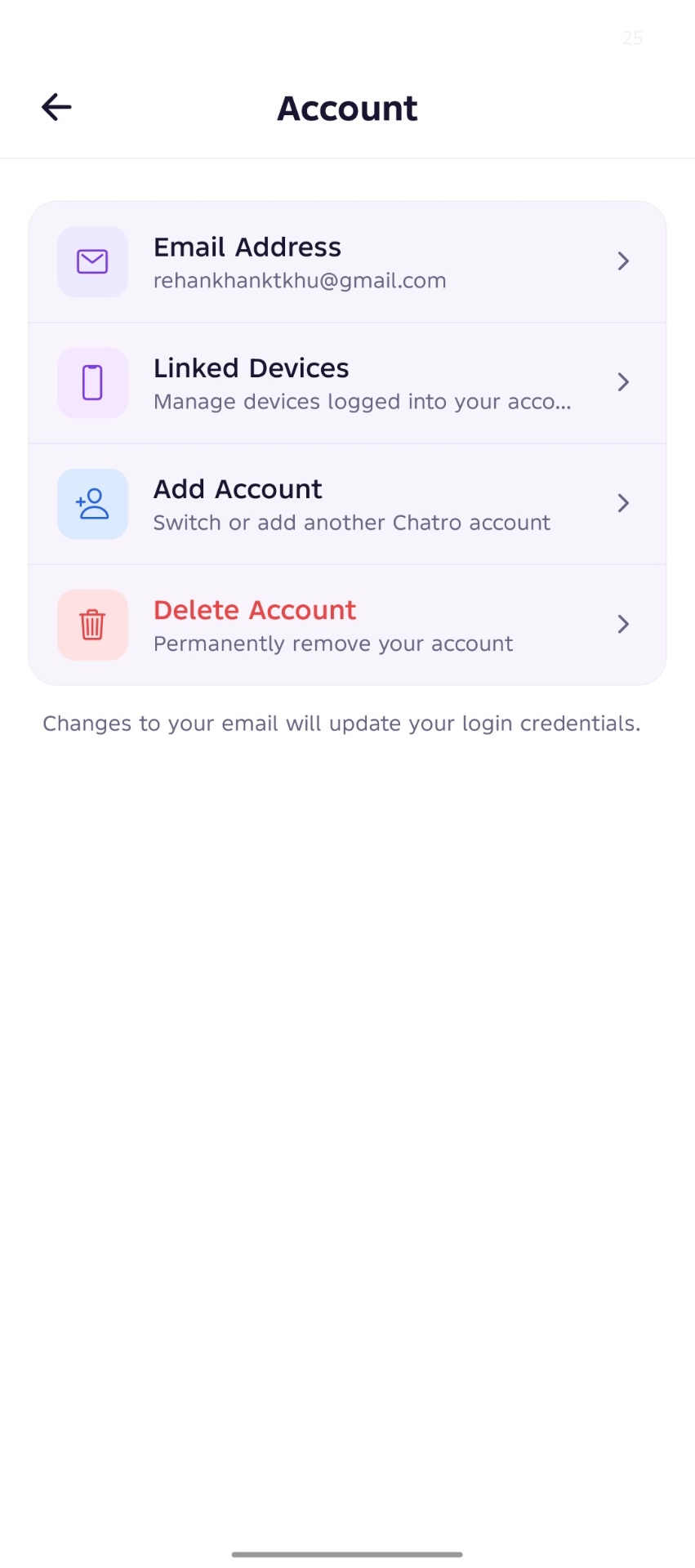
Account Settings Screen
Inside Settings, open the Account section. You'll see your email, linked devices, and the option to switch accounts. At the bottom, you'll find the red Delete Account action — tap it to begin removal.
- Settings → Account
- Scroll to the red Delete Account row
- Tap to continue
Delete Account Confirmation
Review exactly what will happen when your account is removed. Confirm your username and email, tick the confirmation box, and tap Delete Account to permanently erase your account and all related data.
- Read the 'What will happen' list
- Verify your username and email
- Tick the confirmation checkbox
- Tap Delete Account to finalize
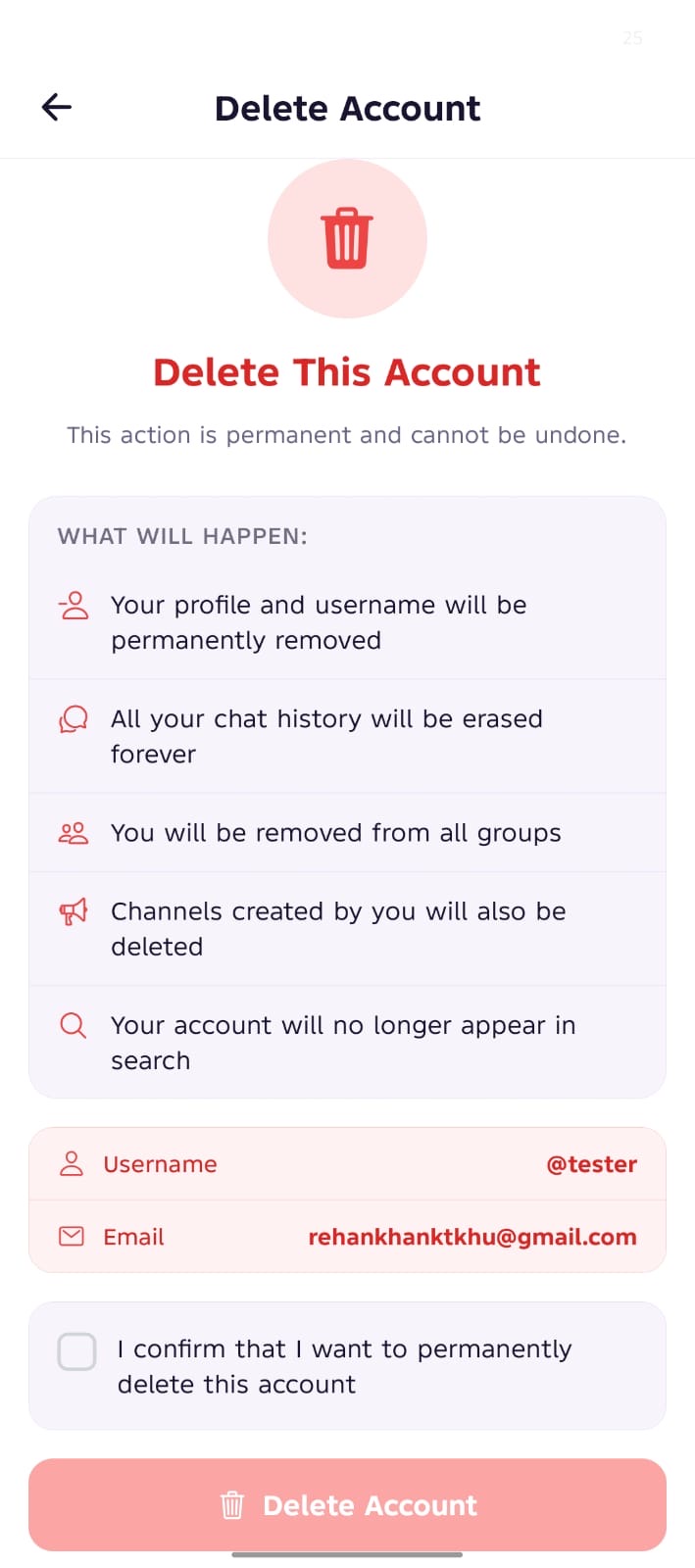
When you delete your account
Deletion is permanent. Here is exactly what is removed.
Profile is permanently removed
Username becomes available for future registration
Chat history is permanently deleted
You are removed from all groups
Channels you created are deleted
Account no longer appears in search results
Associated account data is removed from active systems
Data Retention
Account deletion is permanent. Some limited records may be retained temporarily where required for security, fraud prevention, legal obligations, or system integrity purposes.
Important Notice
Deleted accounts cannot be recovered. If you wish to use Chatro again, you will need to create a new account.
Need help deleting your account?
If you experience any issues, our support team is here to help.
support@chatro.app